HaloPSA Configuration
Configure HaloPSA integration — sync, products, opportunities, companies, quotes, account codes, and webhooks.
Written By Victor Raessen
Last updated 3 months ago
HaloPSA Configuration
For initial HaloPSA connection setup, see the HaloPSA Setup Guide.
After initial setup, manage your HaloPSA integration at Admin > Integrations > HaloPSA. Seven configuration sub-pages are available.
Synchronize
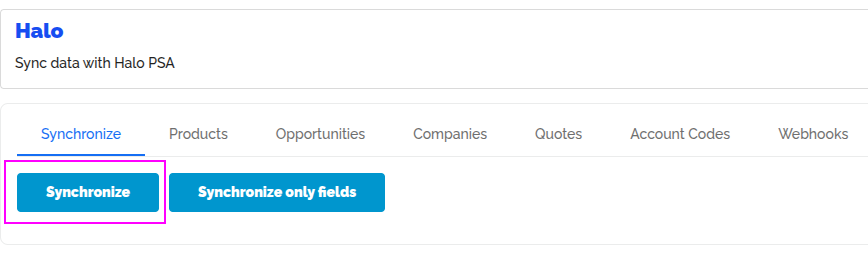
Trigger a full sync of all entity data from HaloPSA.
Products
Map HaloPSA categories to Salesbuildr categories. Configure product type mapping, product group mapping, a default product group, and a shipping product. Toggle "synchronize to Halo" to push product changes back to HaloPSA.
HaloPSA-synced product detail with sync status card Feb 20, 2026
Opportunities
Select which HaloPSA opportunity type to use and filter imports by category. Configure bidirectional opportunity status mapping (Salesbuildr to HaloPSA and HaloPSA to Salesbuildr). Filter which HaloPSA opportunity types are enabled.
When HaloPSA is enabled, the Opportunity admin page gains extra fields for opportunity teams and opportunity types.
HaloPSA-synced opportunity with sales order reference Feb 20, 2026
Companies
Set a company prospect type (which maps to Salesbuildr company types that receive quotes). Configure address field mapping between Salesbuildr fields (street, city, apartment) and HaloPSA address lines (line1 through line4).
HaloPSA-synced company and contacts with sync icons Feb 20, 2026
Troubleshooting: "Please populate main contact name" error — If you see this sync error when creating companies, check your HaloPSA configuration at Configuration > Users > General Settings and verify the "Make main contact details compulsory" setting. When enabled, HaloPSA requires a main contact before allowing company creation.
HaloPSA sync error showing missing main contact message Feb 20, 2026
HaloPSA admin setting for compulsory main contact details Feb 20, 2026
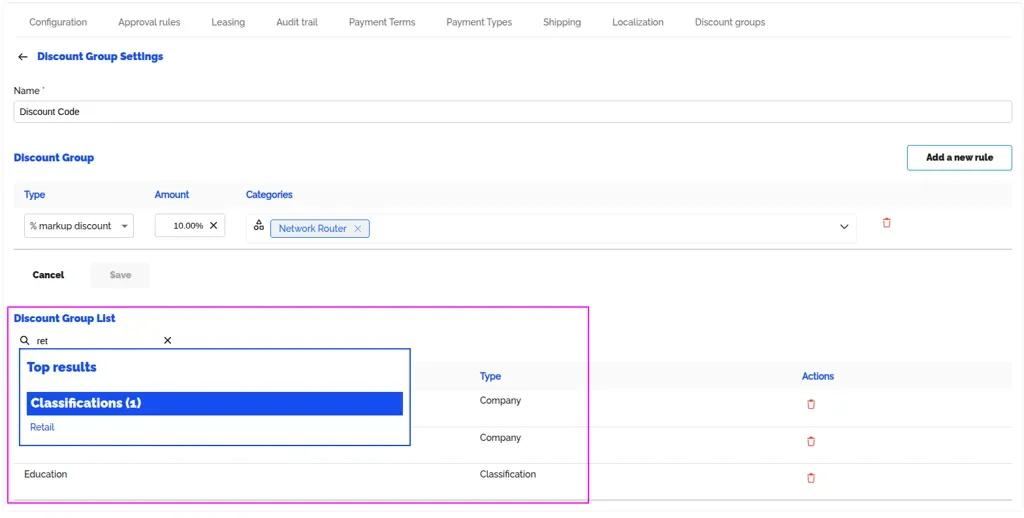
Once you have done the above, you will then need to synchronize to get the classifications populated.
Then, you can use the classifications in the following areas within Salesbuildr:
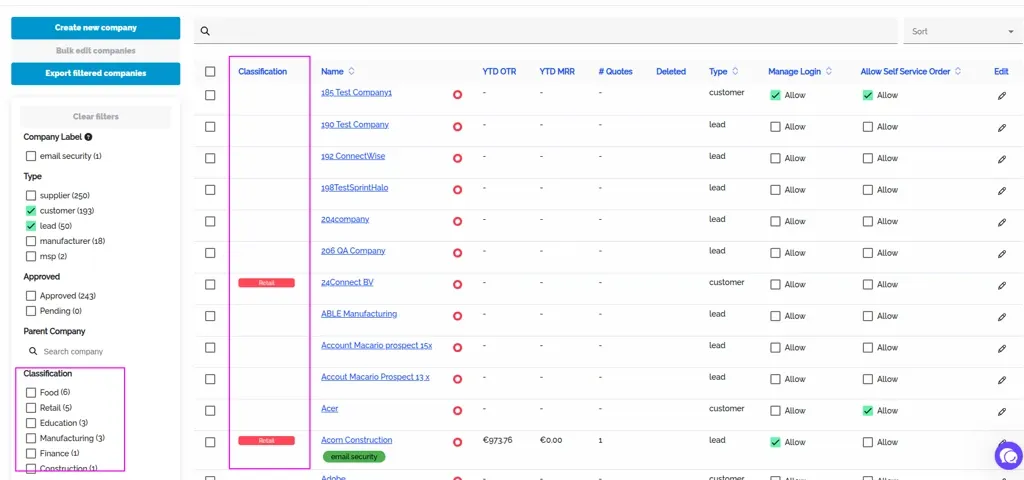
Companies tab - you can filter by classification
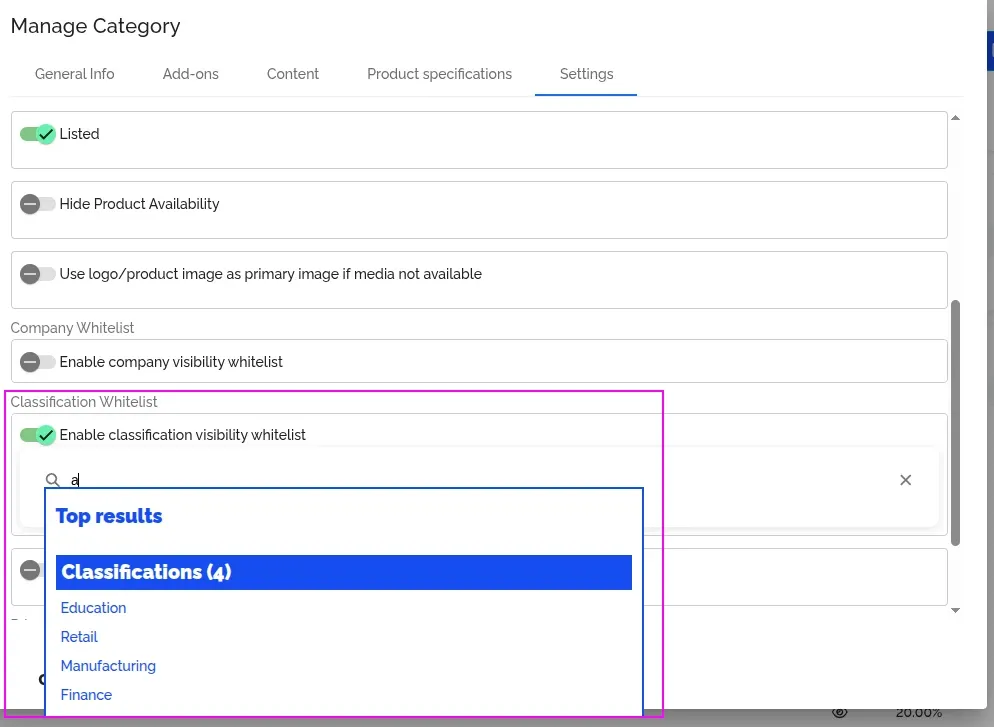
Categories tab - you can whitelist companies with classification
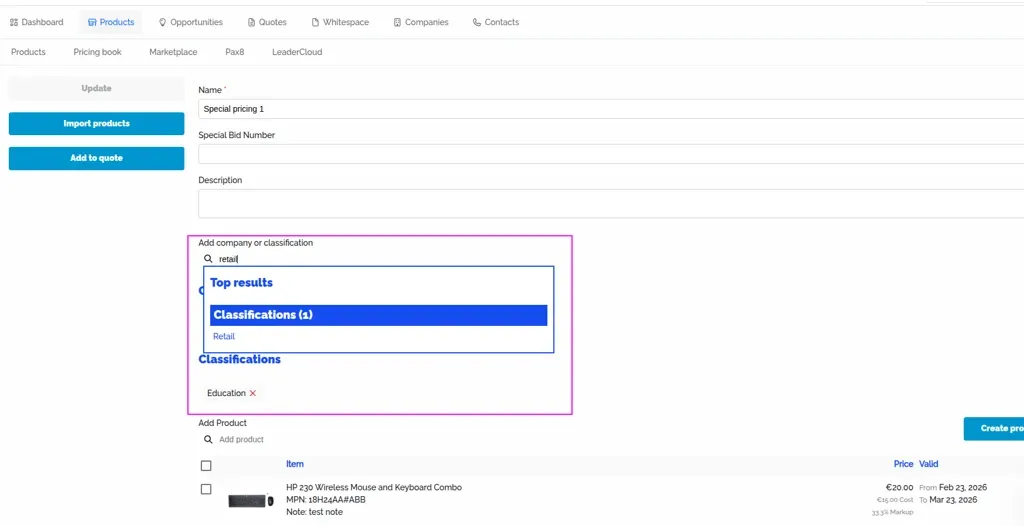
Products tab - you can add pricing books to companies with classification
Settings > Discount Group - you can add a discount group to companies with classification
Quotes
Map quote statuses (draft, sent, approved, declined, expired) to corresponding HaloPSA quote statuses. This ensures status changes in Salesbuildr are reflected in HaloPSA.
HaloPSA-synced quote with Halo badge and linked sales order Feb 20, 2026
Account codes
Map HaloPSA product groups to income and expense account codes. These codes flow through to your accounting system when orders are created.
Webhooks
Manage HaloPSA webhook configuration for real-time entity change notifications. Webhooks sync companies and contacts in real time. Opportunities and services sync hourly due to limited webhook support in HaloPSA.
Permissions: Ensure the Salesbuildr application in HaloPSA has the correct API scopes. Navigate to Configuration > Integrations > HaloPSA API > Applications > Salesbuildr > Permissions and verify
all:standardandadmin:webhooksare enabled. Theallteamsscope may be needed if your Halo instance uses team-based access control.
HaloPSA API permissions configuration for the Salesbuildr application Feb 20, 2026
See also
Integrations — Integrations
Companies — Companies
Opportunities — Admin
Autotask Configuration — Integrations
ConnectWise Manage Configuration — Integrations