HubSpot
HubSpot CRM integration with OAuth and bidirectional sync of companies, contacts, opportunities, and quotes.
Written By Victor Raessen
Last updated 19 days ago
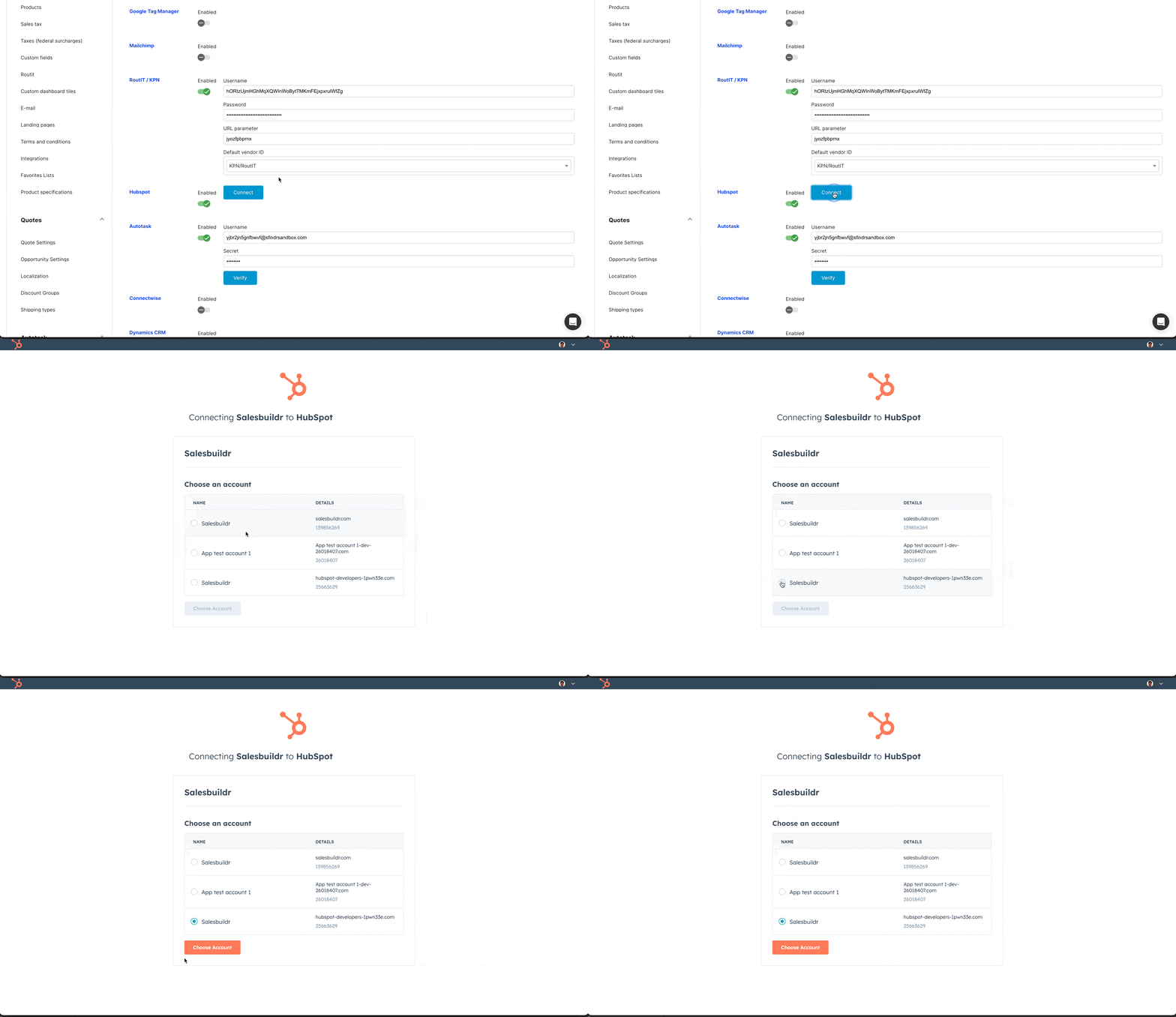
HubSpot uses OAuth authentication (not an API key). Navigate to Admin > Integrations > HubSpot and click Connect to start the OAuth flow. Salesbuildr requests specific scopes to access your HubSpot data.
Note: The HubSpot integration is not visible by default under Admin > Integrations. It must be enabled for your environment by the Salesbuildr support team before it appears alongside other integrations such as Apollo, Pax8, Stripe, and HaloPSA.
Steps to get HubSpot enabled:
1. Contact Salesbuildr support and request that the HubSpot integration be activated for your account.
2. Once enabled, navigate to Admin > Integrations — HubSpot will now appear in the list.
3. Follow the on-screen prompts to connect your HubSpot account.
What syncs
What are the minimum requirements to sync an entity?
There’s a minimum amount of data that we need in order to successfully import
Companies: Name, website, owner, type (needs to be mapped in settings), Lifecycle stage needs to be opportunity.
Contact: Email, first name
Opportunity: company association, contact association
Mapping company types between HubSpot and Salesbuildr
Bidirectional sync
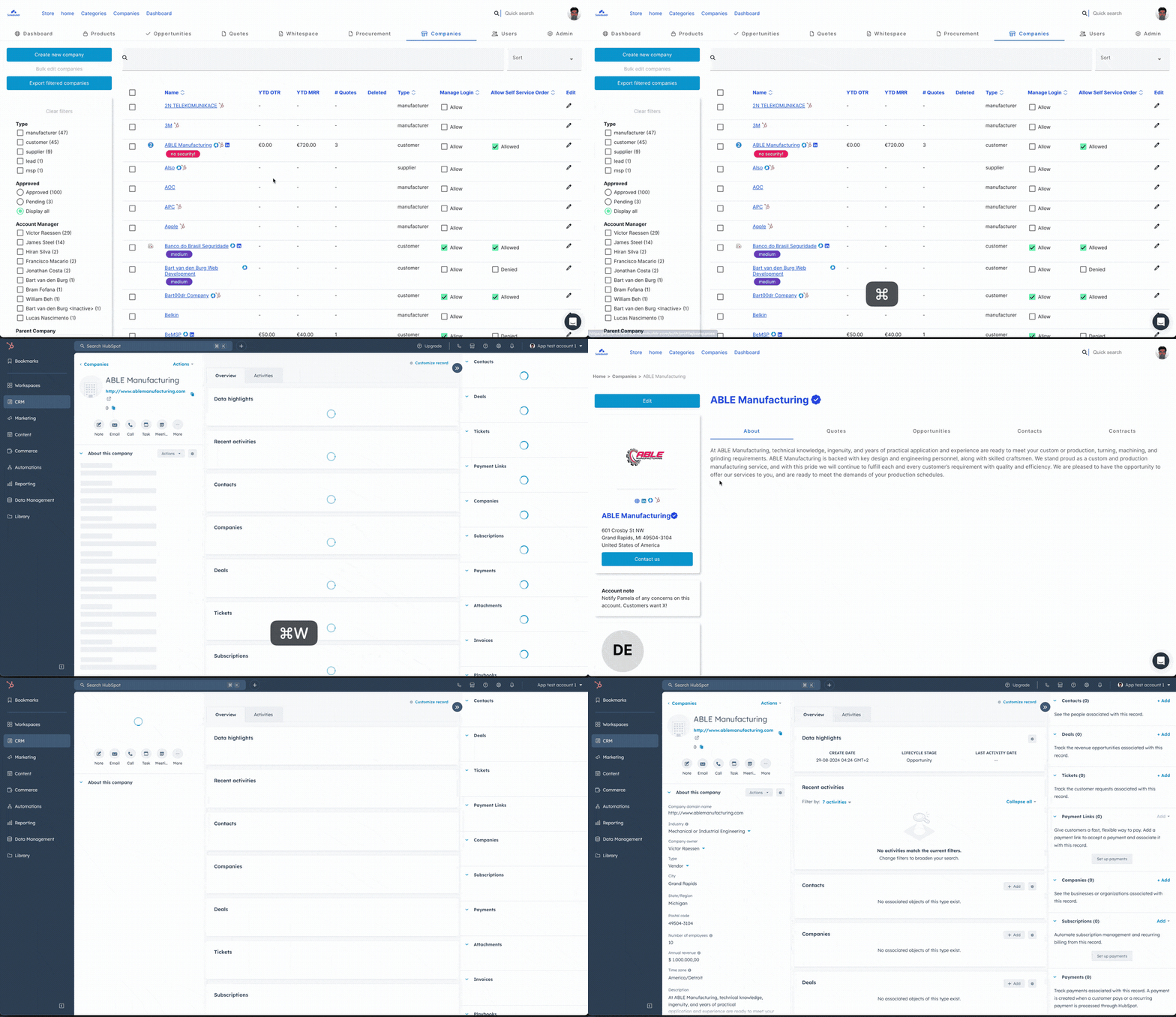
Bidirectional company and contact sync in action
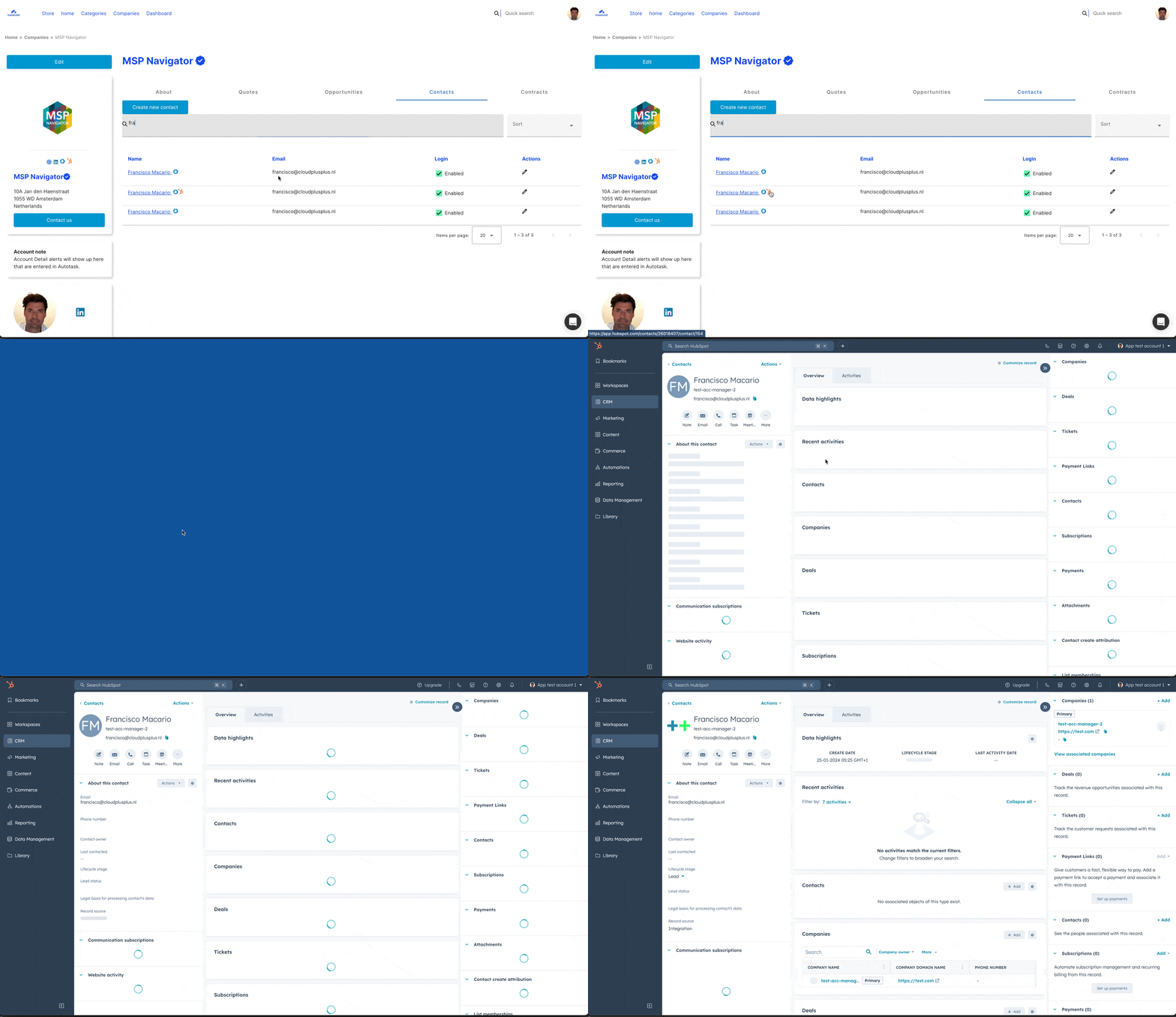
Company and contact detail sync with HubSpot
Sync schedule
HubSpot runs three types of sync:
Entity sync — triggered by data changes (company/contact creation, opportunity updates, quote approval)
Regular sync — periodic synchronization of recent changes
Daily sync — full reconciliation of all mapped entities
Configuration sub-pages
Companies — set the default lifecycle stage for new contacts. Configure bidirectional company type mapping (HubSpot types to Salesbuildr types and vice versa).
Opportunities — select a HubSpot pipeline and map pipeline stages bidirectionally. Configure default deal properties (types, priorities), source mapping, and category-to-deal-type mapping.
HubSpot opportunity pipeline and stage mapping Feb 20, 2026
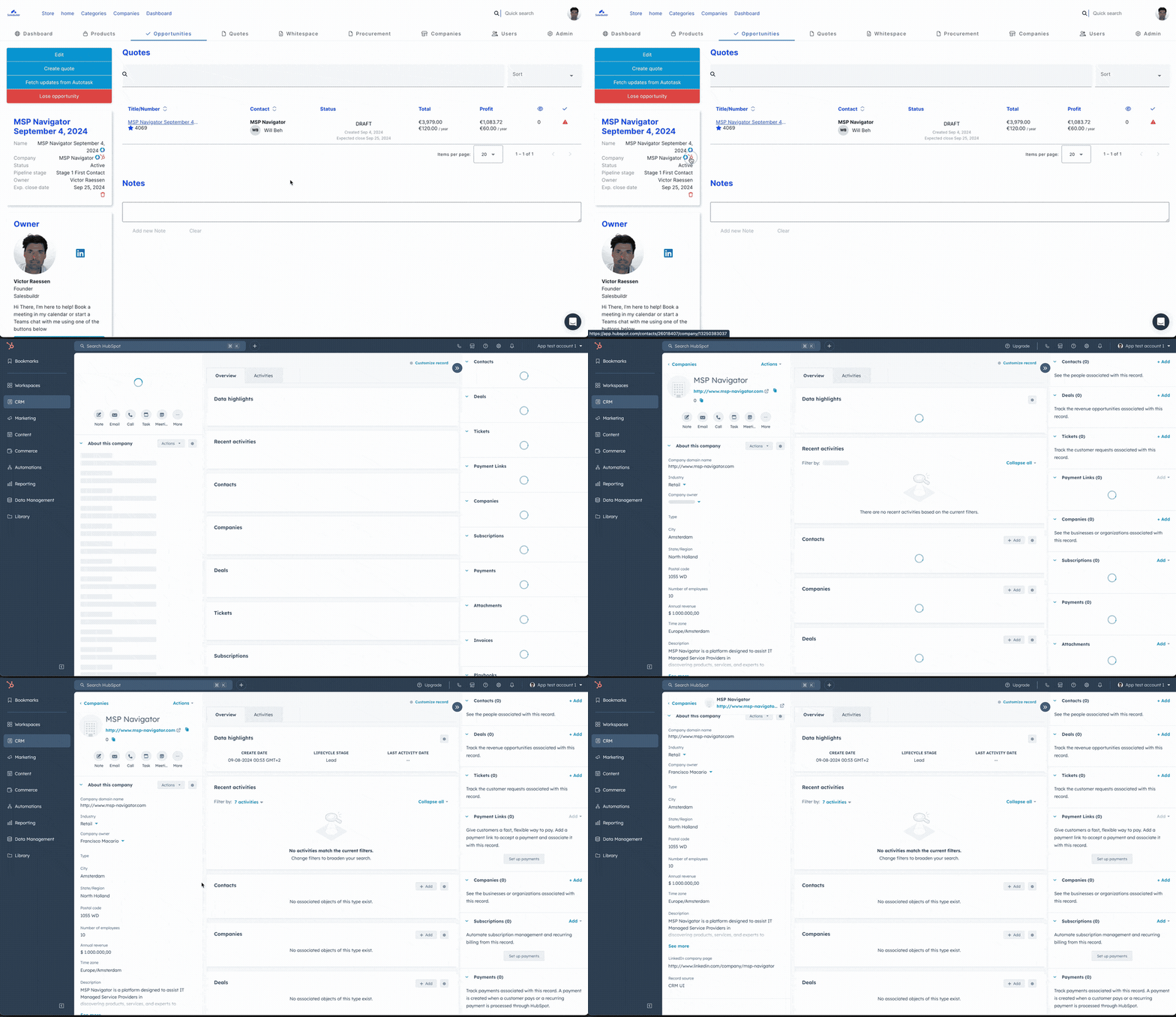
Opportunity sync between HubSpot and Salesbuildr Feb 20, 2026
See also
Integrations — Integrations
Apollo.io — Integrations
Autotask Configuration — Integrations
Companies — Companies
Contacts — Contacts